Manage memory
Memory helps Sonar Legal keep useful preferences and matter context between conversations, so you do not have to repeat the same instructions every time. You can review what has been remembered and change or forget it.
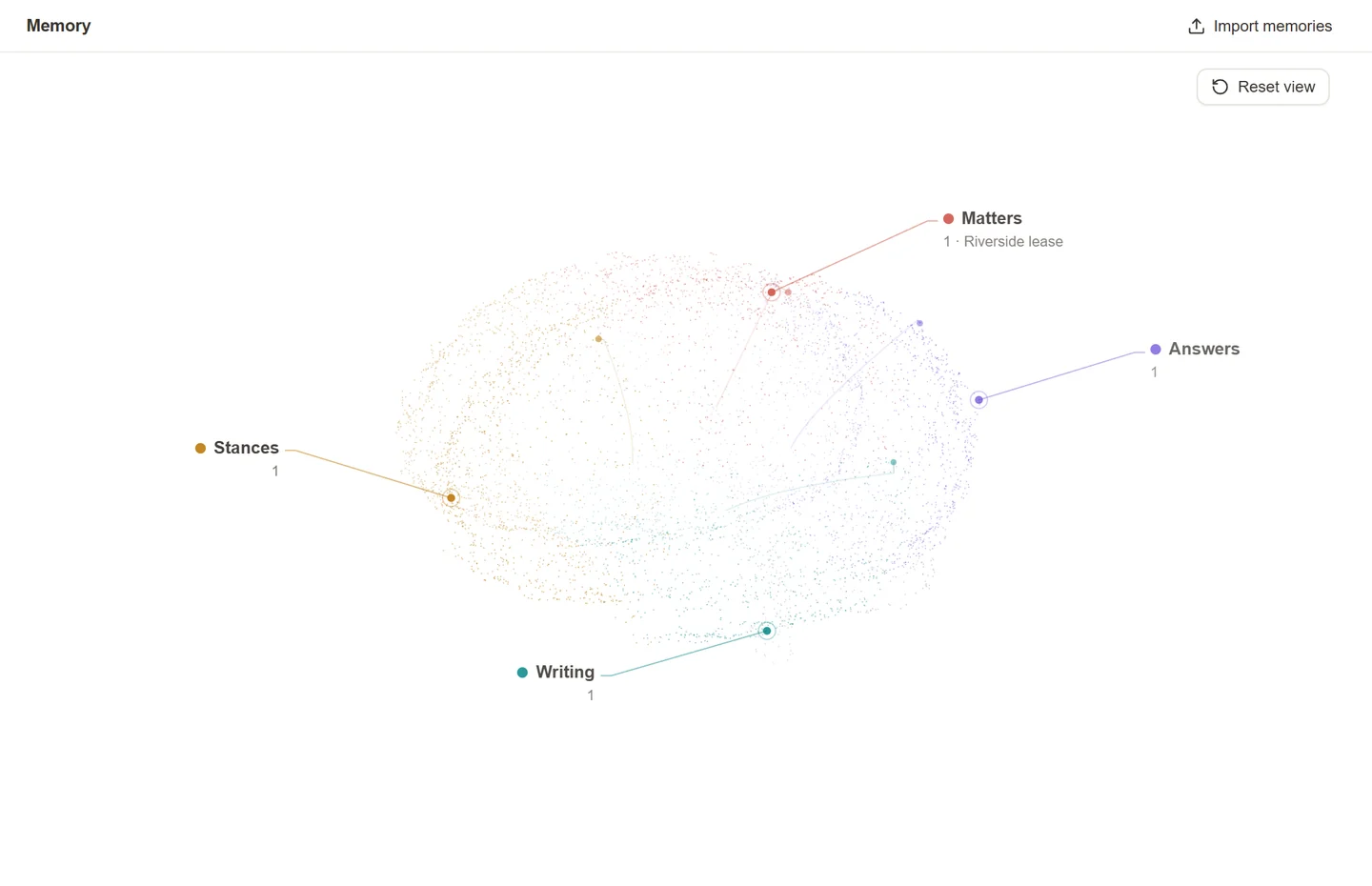
What the four areas mean
- Writing: how you like documents and emails drafted, edited, or translated.
- Answers: how you want responses presented, such as a short summary followed by a table.
- Stances: your preferred approach when acting for a party.
- Matters: facts and decisions relevant to a particular matter and its team.
Personal preferences can be useful across the Sonar Legal App, Word, and Outlook when relevant to your work. Matter memory belongs to the selected matter; it is not a personal instruction for every unrelated conversation.
Review a memory
- Open Memory in the Sonar Legal App, or follow the memory-management option from the add-in.
- Select the relevant area or topic to see its remembered points.
- Open a point to read its full text.
- Check Applies to and Learned from to understand where it is used and where it came from.
You can rotate the memory view and use its date control to explore how it grew. A source that links to an accessible chat lets you return to the conversation for context.
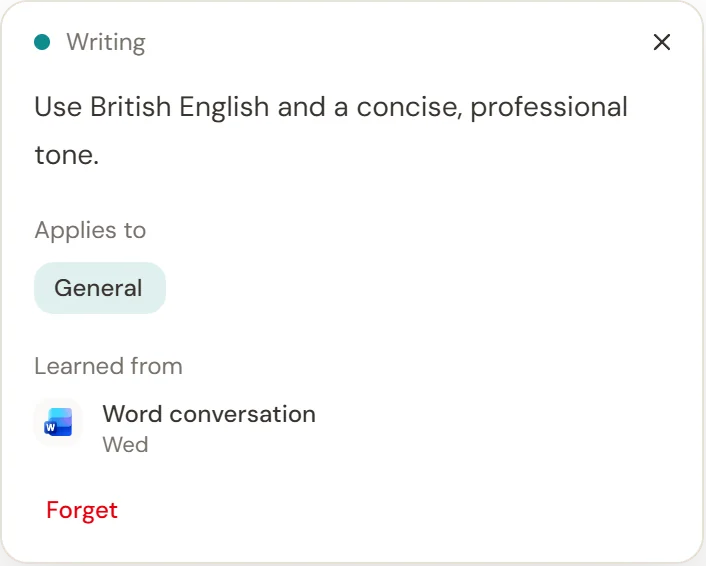
Correct or organize a memory
Edit the memory text and leave the field to save. For personal memories, use Applies to to adjust the topic folders. Check the saved status before leaving. Changes to matter memory require permission to edit that matter.
Keep a preference precise: “Use British English in client correspondence” is more useful than a broad statement that might affect unrelated work.
Forget a memory
Select Forget and confirm. For matter knowledge, the control is Forget for everyone: it changes the shared matter memory for the team, not just your own view. Read that confirmation carefully.
Forgetting a memory does not delete the original chat, email, or document it came from. Review those separately if they also need to be removed.
If memory is unavailable
If the page says Memory is off, your organization has disabled it. Ask your firm's Sonar Legal contact about the setting. Memory is not a substitute for checking the source documents or supplying the current instructions for a piece of work.
To bring in preferences from another assistant, see Import memories.