Create a playbook
A playbook records how you want an agreement reviewed. Build it in the Sonar Legal App, then use it in Word to check a live document.
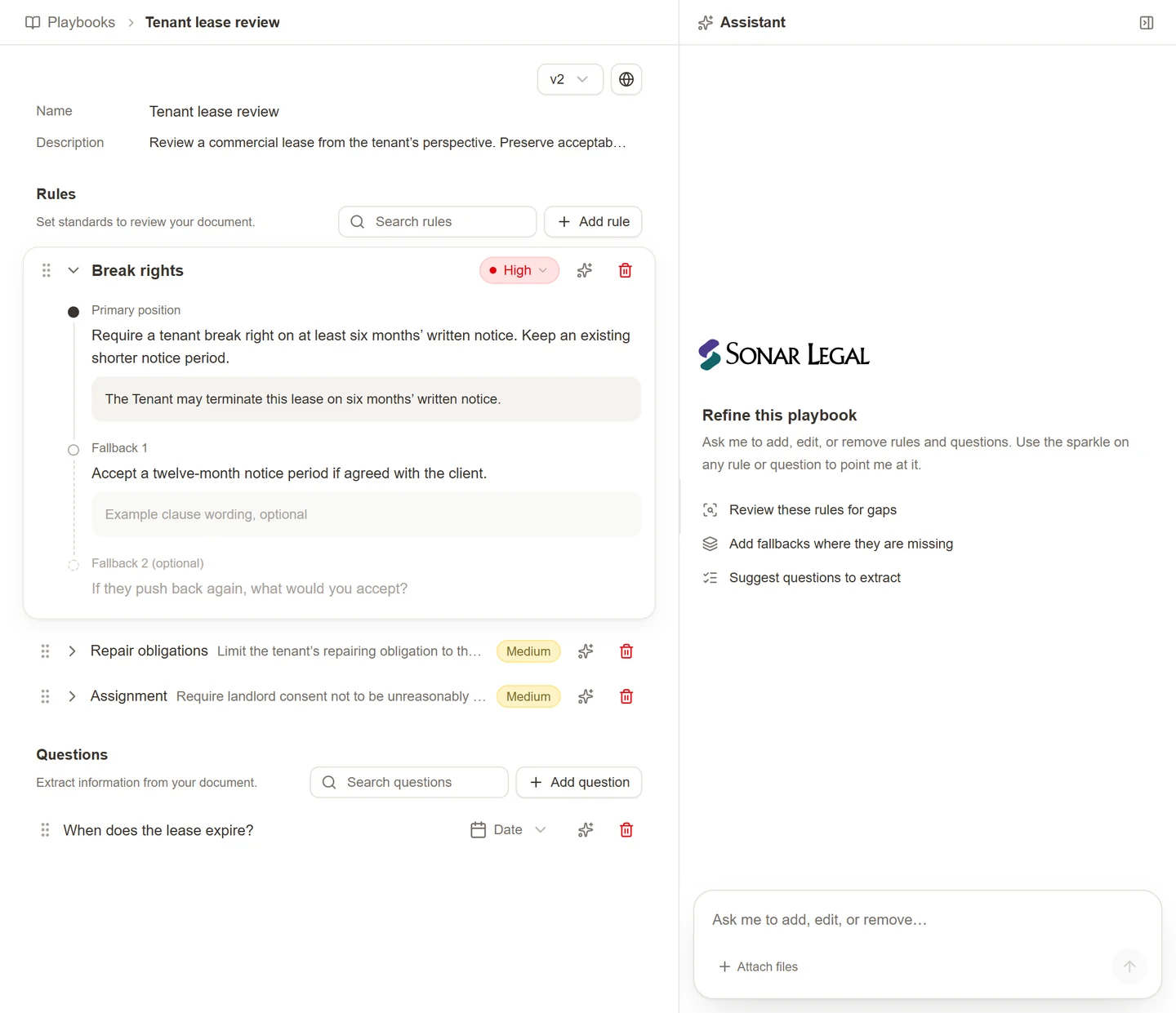
Start a new playbook
- Open Playbooks in the Sonar Legal App and select New playbook.
- Give it a name and describe its purpose, including the agreement type and the side you usually act for.
- Add rules and questions yourself, or use the assistant to prepare a first draft.
- Review the wording and wait for the saved status before leaving.
The assistant can work from your instructions or an attached Word or PDF precedent. Explain which positions the precedent illustrates and which concessions belong only to that transaction. If your starting point is the document open in Word, save or export the appropriate version and attach it in the playbook editor.
Describe the review you want
Be clear about the contract type, represented party, priority provisions, and acceptable fallbacks. For example: “Create a lease-review playbook for a tenant. Focus on break rights, repair obligations, assignment, and rent review.” Answer clarification questions when the assistant needs more detail.
A precedent gives examples of wording. It does not tell the assistant which compromises your firm wants to repeat, so include that instruction explicitly.
Write useful rules
Each rule should explain the issue to check, the preferred position, and what to do when the agreement differs. Add examples of acceptable wording and ordered fallbacks where appropriate. Set a severity that helps reviewers prioritize the issue.
Preserve terms you already accept. For example, if acting for the payor:
If payment is due more than 30 days after receipt of a proper invoice, leave it unchanged. If it is exactly 30 days, leave it unchanged. If it is fewer than 30 days, revise it to 30 days after receipt of a proper invoice.
This is clearer than “Require at least net 30”, which does not explain whether a more favorable 45-day term should stay.
For confidentiality, if acting for the discloser:
Keep an existing standard of care that is stronger than reasonable care, such as the highest degree of care. Keep reasonable care unchanged. Where the standard is lower or undefined, revise it to require at least reasonable care.
Use this approach across the playbook: describe what to keep, what you can accept, and what needs changing.
Add questions
Questions extract information the reviewer needs, such as “Who may terminate for convenience?” Choose the answer format and any choices to suit the question. Use rules for positions and proposed changes; use questions for information to report.
When ready, share and maintain the playbook, then run it in Word.