Update and share playbooks
Return to a playbook when your firm's positions change or a review shows a rule needs clearer wording.
Update a playbook
- Open Playbooks in the Sonar Legal App and select the playbook.
- Edit the title, description, rules, fallbacks, examples, or questions.
- Use the assistant to refine a particular point, or edit it directly.
- Check the saved status before leaving or telling colleagues to use the update.
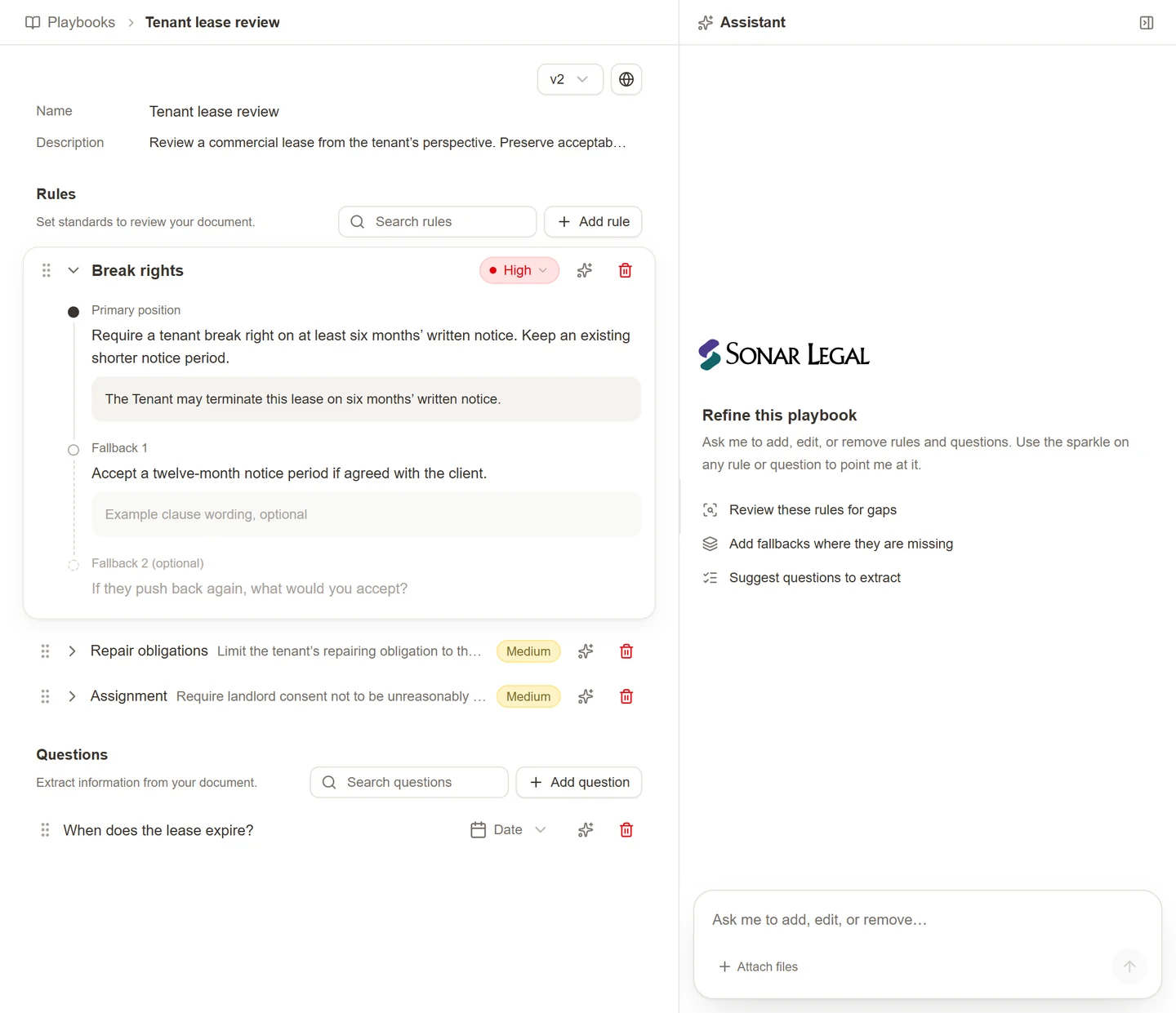
Use the assistant's focus control on a rule or question when you want a targeted change. For example: “Keep the preferred 12-month cap, but add a fallback at the fees paid over the last six months.” Review the proposed change in context with the other rules.
Use saved versions
The playbook's Version control lets you select an available saved version. Check which version is current before starting a new Word review. Switching versions changes the active playbook; it does not rewrite a review you have already completed in a document.
Share with colleagues
Use the playbook's sharing control to choose the available access. Keep a draft private until its positions are ready for use. Share the approved version with the appropriate colleagues or organization.
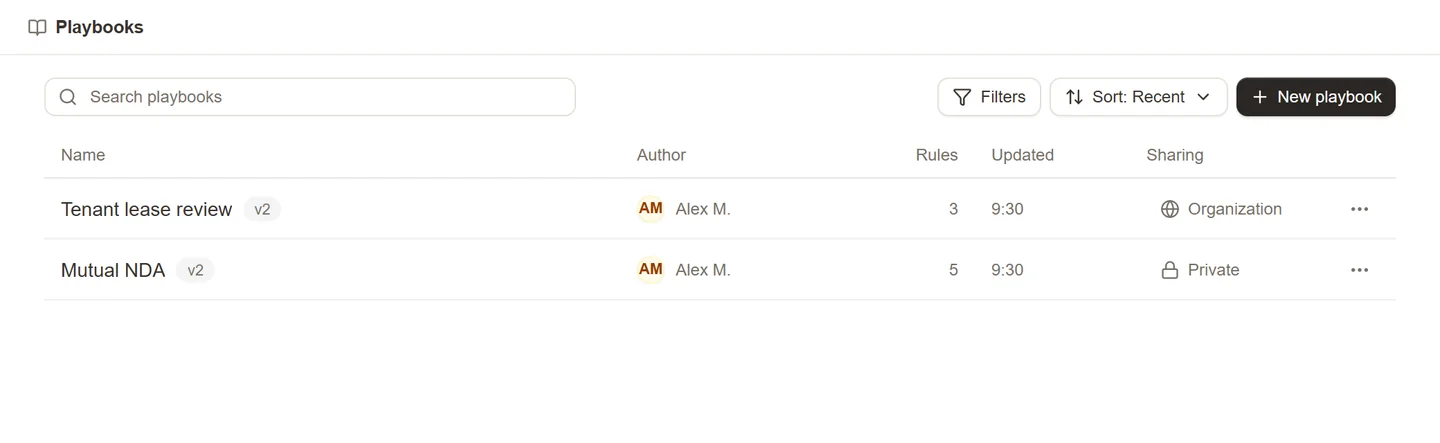
A colleague who can use a playbook may not be able to edit it. If you need a different approach, use the available copy action to make an editable version rather than changing a shared firm standard without agreement.
Sharing the playbook makes its review instructions available; it does not share the agreements someone will review with it. Each reviewer needs the relevant document and Sonar Legal access.
Check it in practice
Run the updated playbook against a representative agreement in Word. Review both proposed changes and accepted provisions. If it repeatedly changes wording you would have kept, refine the rule's preferred position and acceptable alternatives.
See Run a playbook in Word for the full review steps.