Definitions
Open Definitions in the Word add-in to see the terms defined in your document, including definitions within clauses and those in a dedicated definitions section.
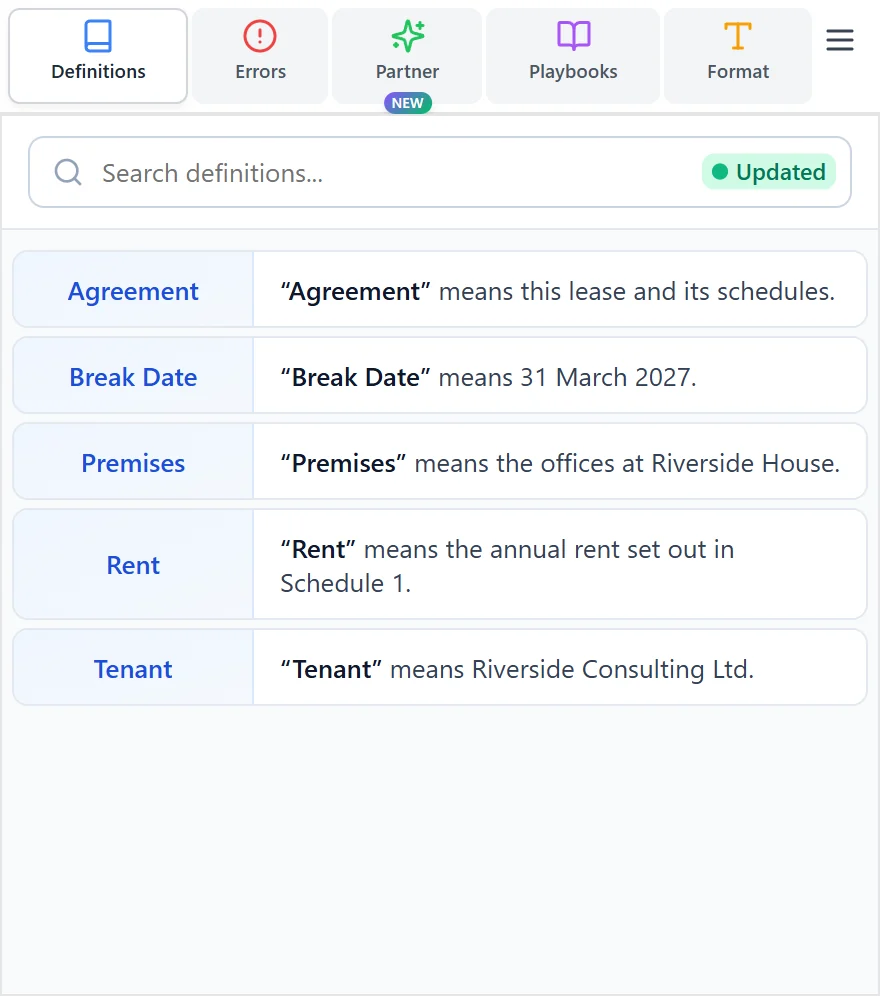
Find a definition
- Open the agreement in Word and open Sonar Legal.
- Select Definitions and wait for the initial scan.
- Search for the term you need, or browse the list.
- Select a definition to move to its wording in the document.
You can also select a defined term in Word to bring its definition into the panel. Clear the selection or search to return to the full list.
Keep working in the document
The list refreshes as you work and change your selection, so you can return to the definition without setting up a second document view. If a definition looks wrong or is missing, check the wording and quotation marks in the document.
To check whether terms are undefined or used inconsistently, use Errors.